

Roborock Qrevo Edge 3 Pro Review: 'I'm In Love, And My House Has Honestly Never Looked Cleaner'
We may receive a commission on purchases made from links.
As a family with two young children and three furry friends (two dogs and a cat), our floors take a serious beating, as you would imagine. We live in our house hard, and when we're less than diligent about a rigorous cleaning routine, it shows. Over the years, we've tried to automate or optimize the efficiency of our main tasks to make life a bit easier and the maintenance routine a little less arduous. A decade ago, I invested in a robot vacuum before advances in Wi-Fi connectivity and home mapping (archaic, I know), in the hopes of checking that task off the list automatically. After constantly getting stuck and needing human intervention or propelling itself backwards away from an obstacle so fast that it slammed into a wall and ejected its own dustbin all over the floor (I really wish I was kidding here), I gave up on the dream of automating my floor cleaning.
Fast forward 10 years, and Roborock offered Hunker the opportunity to test out their top-of-the-line Qrevo Edge 3 Pro, an all-in-one robot vacuum and hot water mop that takes care of all floor cleaning needs in one sleek package. Equipped with its own hygienic smart dock and the ability to not only clean various flooring surfaces but itself as well, the $1,499.99 (currently $1,199.99 on sale) device truly seemed, on paper, to be a set-it-and-forget-it solution that could immediately take the floor cleaning burden off our plates. Well aware that technology had vastly improved since my last encounter with a household robot, I happily abandoned my prior skepticism and accepted the testing assignment with the Qrevo Edge 3 Pro (kindly provided to me for free by Roborock in exchange for an honest, unbiased review) with a hopeful feeling in my heart that maybe this time would be different.
Review methodology
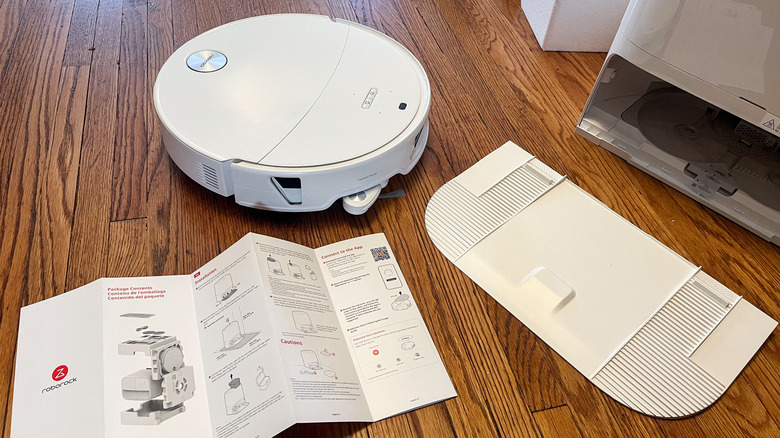
I tested the Qrevo Edge 3 Pro for five days, with heavier usage during that period than I would ordinarily vacuum or mop in an effort to test the wide variety of settings. Using the iOS app on my phone to run the device, I tested all vacuuming and mopping cleaning modes (full clean, room cleaning, zone cleaning, and routine options). I also experimented with all customizations within those modes (cleaning method, suction power, water flow, route options, etc.), as well as most other robot/dock settings — though not 100%, as some didn't apply to my home or needs. I created personalized routine tasks and scheduled recurring cleanings to test the automatic hands-off aspects of the device. For privacy reasons, I preferred not to utilize the setting to automatically take photos of encountered obstacles, nor keep on the voice control beyond a few initial testing attempts, so I cannot speak to those features. I also did not mop any rugs.
Over the testing period, I completed three full vacuums and one deep clean vacuum, as well as many targeted vacuums in the kitchen, dining, and pet areas. I also performed one full mopping session and several targeted mops in the kitchen, dining, and pet areas. I mapped both floors of my home, which have a variety of flooring types for testing: hardwood, carpet, tile, vinyl, and area rugs of various sizes on all types.
I've used all sorts of vacuums and mops, including the aforementioned older pre-Wi-Fi robot vacuum, as well as stick vacs, upright vacuums, manual mops, and electric mops. If it cleans your floor, odds are I've given it a shot in a never-ending quest to make the task efficient and effective, so I felt confident in my robust history of floor cleaning for comparison.
Placing and setting up the Roborock Qrevo Edge 3 Pro
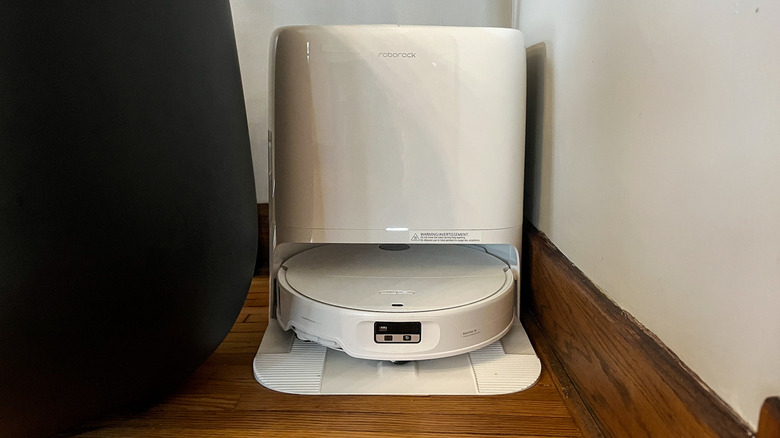
Upon arrival, my son immediately named our new bot Wall-E, despite the fact that her female voice and sleek, high-tech white silhouette physically gave off more Eve vibes (if you know, you know). Regardless of the nickname, it needed to be set up before officially joining the family. Technologically speaking, the step-by-step electronic setup was a breeze. Throughout the process of downloading the Roborock app, creating an account, and syncing everything up, the device immediately connected in about two minutes. I couldn't have asked for a smoother, quicker process.
The physical setup required a little extra pre-planning in retrospect. At first, I had a hard time determining where to place the dock, which requires a hard flat surface, almost 4 feet of unobstructed clearance from front to back, and a plug behind. This may be an easy task in a large, modern home, but in a small old house, this was challenging, but I eventually found the perfect spot in the corner of our dining room.
Once the dock had its new home, I followed the instructions to get it prepped. When I got to the step to fill the cleaning solution, the instructions said to "only use cleaning solution recommended by Roborock in the solution cartridge." I dug through the packaging to find said solution, only to discover there was none provided. This was a bit surprising — one would assume that a high-end product would at least come with a sample of their proprietary cleaner to get you started. So a slightly irritating note to anyone purchasing: you have to buy the Roborock Floor Cleaning Solution separately, which is $19 on Amazon for a dock-cartridge-worth (16 ounces) of solution. Do yourself a favor and plan ahead so you aren't solution-less for the exciting robot debut.
Mapping and scheduling routine cleanings on Roborock's iOS app
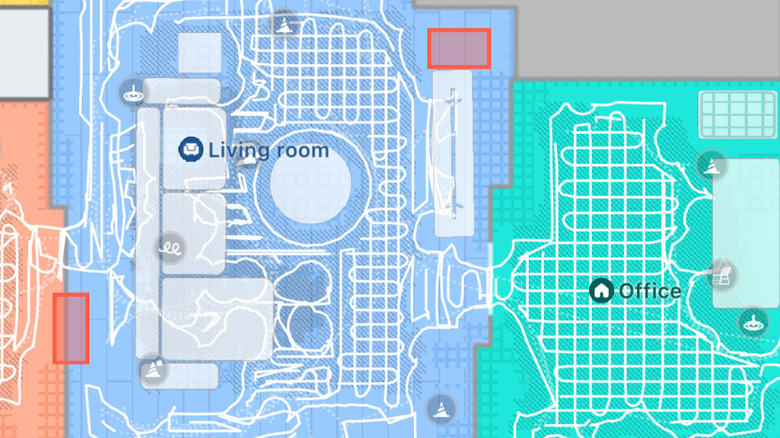
The Qrevo Edge 3's instructions recommend completing the initial house mapping process and three rounds of vacuuming before the initial mop to protect the mop pads, so the timing worked out while I waited for the solution to arrive. The initial quick map of the main floor took only about 10 or 15 minutes for the robot vacuum to complete automatically. I was then prompted by the app to verify the information by dividing or combining rooms, naming rooms, adding a few main furniture pieces, indicating thresholds, and designating no-go zones or invisible walls. Later I was able to edit the map to add area rugs, curtains, floor types, and more to the spaces for additional clarity and customized cleaning options (like cleaning behind curtains). It appeared that the map was also automatically fine-tuned with each cleaning pass.
At first, I mapped only the downstairs, but the app supports up to four saved maps for multi-level homes, so I later mapped the upstairs. For anyone using the Qrevo Edge 3 at the top of a flight of stairs, it's recommended to put up a physical barrier for the mapping process to avoid an accidental fall, though you can add an invisible wall (and/or a no-go zone — I did both) as a safe boundary later in the app.
I also used the app's intuitive scheduling feature to easily set up automated cleaning times and routines that fit our lifestyle. There were also routine suggestions, such as targeting the dining room and kitchen after meals or a once-a-week deep clean for carpets, that were fully customizable so you could save your desired settings for frequent use. Sure enough, like clockwork, the robot vacuum's little voice (also volume adjustable/mutable) let me know it was starting its scheduled routines. Music to my ears!
The Qrevo Edge 3 Pro made quick work of mapping and navigating the house
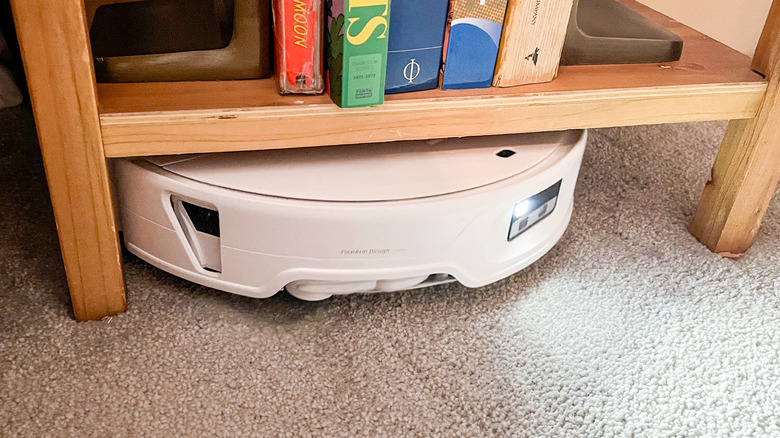
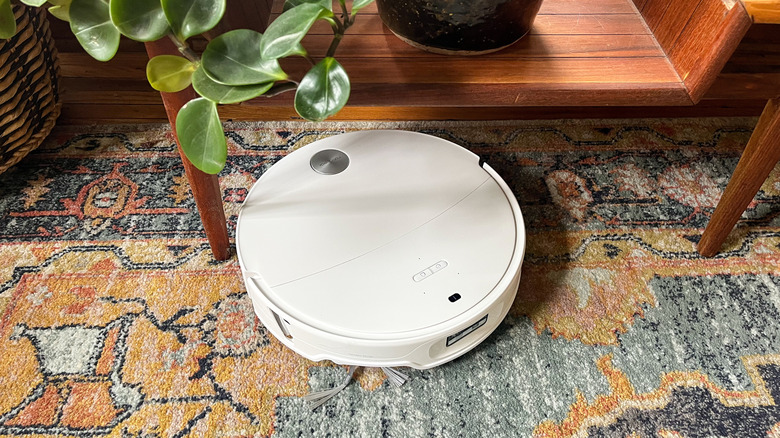
Before I get into the details of each cleaning method, what really impressed me in general was the Qrevo Edge 3's ability to maneuver throughout my home. As mentioned before, I have a very old house with compartmentalized rooms and plenty of floor transitions. However, this device expertly navigated itself out of tight spots, over tricky transitions, around furniture legs, and under furniture (in as low as 3.13 inches of clearance) by adjusting its height to accommodate. The Qrevo Edge 3 also uses its adaptive lift technology to automatically adjust its brush and mop pad clearance to navigate tall transitions (more on this below) and extend safely over carpet if you prefer to have it avoided, such as during mopping sessions.
The idea is that it's never supposed to get stuck, and I found this to be almost entirely true, aside from one scenario where the vacuum snagged on a plastic thread still attached to the edge of an area rug (probably my cat's fault if it was exposed in the first place). However, there was an error prompt in the app that pointed me to the exact spot to clear the brush, which was quick and easy to address before sending it off to resume cleaning.
The only thing that seemed to really trip it up were our large flush wood grates covering the floor air vents. It either got confused and struggled slowly to navigate off of the grid or read it as a cliff hazard — understandable since there were open gaps between the wood strips — and avoided it altogether. For the sake of simplicity, I marked all three floor vents as small no-go zones.
I loved the intelligent sensors for obstacle detection and avoidance
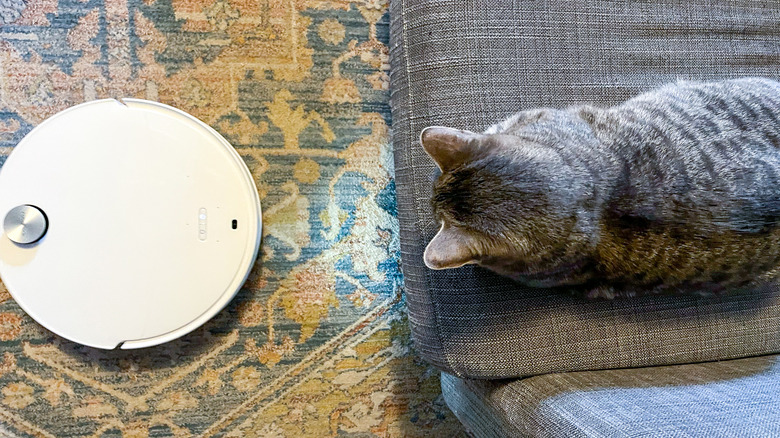
The Qrevo Edge 3 is equipped with smart sensors to help it maneuver easily throughout the house, as well as detect, identify, and avoid obstacles of all types, from toys on the floor (common occurrence for us unfortunately) and furniture legs to humans walking by and curious pets wondering what the heck this thing is. When met with an obstacle, the app marks the spot on the map with an icon indicating what type of obstacle it encountered and can even take a picture of the obstacle for reference if you toggle the setting to allow for that. I personally didn't have a privacy comfort level with the bot taking photos, so I kept this setting off. However, I was almost tempted to try it thanks to the adorable feature that takes pictures of the robot vacuum pet encounters and saves them to an album for you.
Speaking of animals, the Qrevo Edge 3 was extremely pet-friendly in general, with a whole section in the settings completely devoted to controls designed to keep furry friends safe while maintaining the integrity and intensity of the floor cleaning. I really appreciated that you didn't have to sacrifice one to get the other. My favorite setting customization was to allow the vacuum to revisit locations where it previously encountered people and pets during its initial run, meaning areas missed due to household member activity. Great news for me, as my kitty — and kids – took to stalking and blocking the bot at every opportunity (dogs couldn't have cared less about its presence).
The Qrevo Edge 3 Pro navigated high floor transitions like a pro
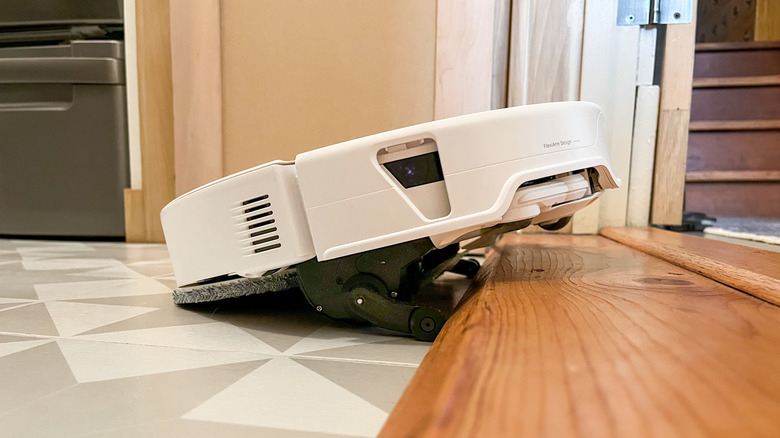
With an old house often comes many transitions between flooring types, often with height discrepancies, so I knew my 1910 Craftsman would indeed put the Qrevo Edge 3 through its paces. The device uses its sensors to intelligently and automatically adjust the lift and height clearance of the unit as needed to navigate pretty significant flooring transitions. One of the spots I was most curious to see it handle was a high two-tier mega threshold out of our laundry room. According to the specs, the Edge 3 Pro can tackle single-tier thresholds up to 1.77 inches high and an additional second tier of up to 1.69 inches, for a total of 3.46 inches of transition height. Mine is 1.75 inches high at the first tier and then another 0.25 inches for the second tier, so I was hopeful it would make it.
First, it tried to tackle the approach over the transition at an angle, which it quickly realized was not happening, so it straightened itself to tackle the transition straight on. Next, it raised its front end to get up over the first tier, followed by its back end to re-level itself on the first tier, moving forward until it hit the second tier. It revved its wheels a little to see if the momentum would get it up and over, but when that was unsuccessful, it simply repeated the process to handle the second tier of the transition with ease. It marked the spot on the map as a transition and memorized what it needed to do so the next time required no experimenting. It was honestly quite impressive to watch!
The customizable vacuuming process was thorough, quiet, and powerful
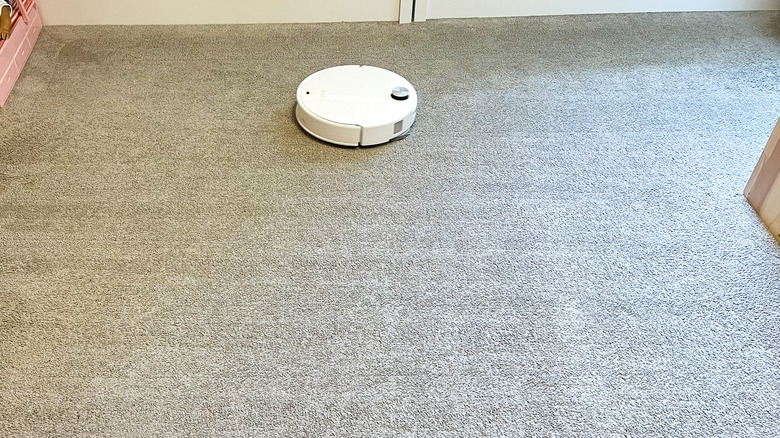
When it came to vacuuming, Roborock's Qrevo Edge 3 packs a surprising amount of suction power into a such a small device, 36,000Pa of power according to the specs. For context, average household vacuums produce roughly 20,000 to 30,000 Pascals, a unit of air pressure measurement, while more powerful models, like the Qrevo Edge 3, can exceed this range. It showed, as the vacuum left little to nothing behind except a very satisfying linear pattern on my carpets. The default route setting was to vacuum the perimeter first and then perform a back-and-forth linear path within the defined edges. I customized the settings to have the robot vacuum crosshatch the carpets, adding a second pass in a perpendicular direction for a more thorough cleaning.
The bot also has what they call FlexiArm technology, allowing the brush to extend fully into corners and flush against edges so the vacuum reaches all the trickiest spots. Unless furniture or an open door was in the way, I found this to be very much the case. It also features a No-Tangle brush design that claims hair won't wrap or get stuck in the rotating brushes, great news for a family that has two people with very long curly hair. It handled hair without an issue, though I did end up with the one aforementioned brush tangle during the testing period on a rug thread.
The only other slight downside is that, when used on the mostly carpeted upstairs, the Qrevo Edge 3 can't automatically empty the dustbin throughout the clean since the dock is on the main floor. When I brought it back down, it didn't automatically empty the dustbin to end the task as usual. However, I used the voice command, "Hey, Rocky, empty the dustbin," to get the job done.
Flexible mopping settings allow complete control
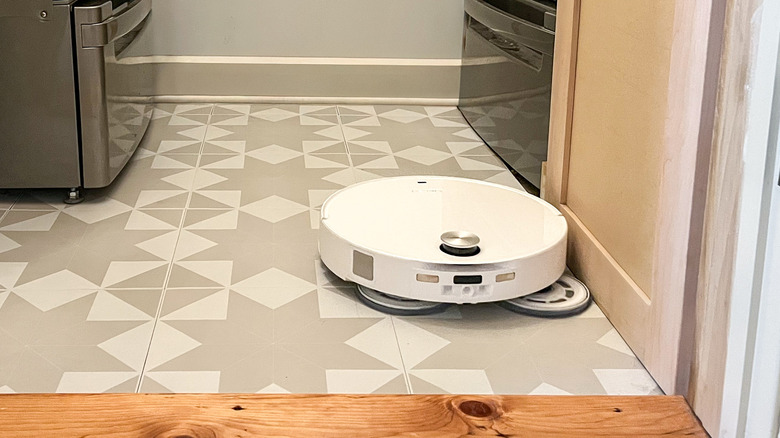
Once my cleaning solution arrived, I tested the Qrevo Edge 3's mopping features — totally worth the wait. The dock automatically attached the magnetic mop pads, as well as auto-dispensed warm water and detergent. As the device mopped with the same corner-hugging dual FlexiArm technology, it periodically returned to the dock to wash the mop pads as needed for the freshest clean, including a pre-wash before most sessions (skipped for one small zone mop) and post-wash after every task. When complete, the dock used warm air to dry the mop pads to prevent mildew and odors. I loved that, even on the highest water output settings (adjustable), the bot left little to no water residue behind, putting our other electric mop to shame. This was very important to us when cleaning hardwood surfaces, which were, like all other floors that the robot mopped, gleaming but not left wet.
Similar to the vacuum settings, the Qrevo Edge 3 used adaptive lift to adjust its height clearance with the mop pads attached. This setting was significant, as it allowed the pads to extend safely over carpet and avoid contact with moisture, which would give me peace of mind if I had more delicate, non-washable floor coverings — not the case in my house though. On the contrary, the device also allows for mopping of carpets as desired for high-traffic washable rugs.
Shockingly, no one organically spilled liquid during the testing period (a household record!), so by day five, I poured pink lemonade on the kitchen floor to test how it handled a spill with a mop-only deep zone cleaning. The Qrevo Edge 3 handily took care of the fresh liquid spill, leaving no residue behind. I'm hopeful it can similarly handle tougher, sticky dried spills (though not tested).
Ongoing maintenance and final thoughts on the Qrevo Edge 3 Pro
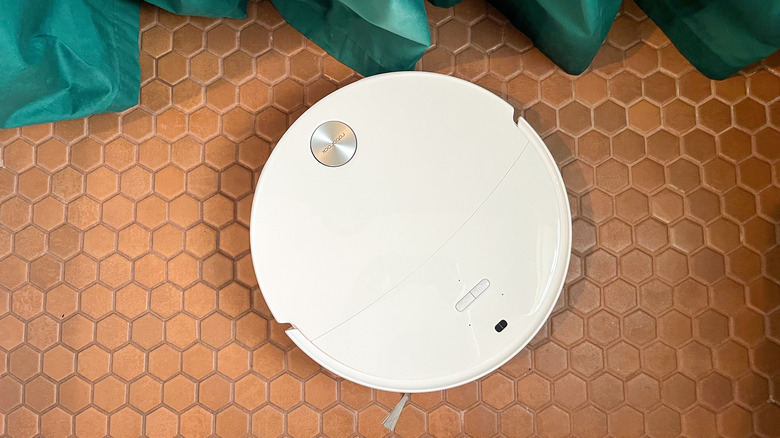
While the smart dock takes care of daily maintenance for the Qrevo Edge 3, the app has long-term care tracking. These stats indicate the number of hours used and percentage of life left on each component before it requires cleaning, such as wiping dusty sensors or cleaning the dock, or replacement. This feature makes lifetime care a realistic undertaking for a busy family without the capacity to manually track every detail.
Here are my final thoughts on the Qrevo Edge 3 Pro: I'm in love, and my house has honestly never looked cleaner. What makes it so incredibly handy is the automation, performing scheduled cleanings while we focus our time and attention on other things. What a true gift that is.
Where this device really shines is for primarily single-story use where it can fully do its thing without human involvement. Sure, I bring it upstairs to run, but the manual process means I'm less likely to remember versus automated cleanings. Therefore, this particular robot cleaner might not be ideal for a home with many levels or heavy needs on multiple levels without manual manipulation (though perhaps you're more responsible than I am). However, as an asset for a main floor that gets a lot of wear and tear, the Qrevo Edge 3 is a seriously transformative game-changer for our family. After such a disappointing previous experience a decade ago, this device sure converted me on the worthiness of robot floor cleaners — I'm now a superfan with extra time on my hands. Now if only the Qrevo Edge 3 could train my children to stop leaving toys all over the floor for an unobstructed clean, then we'd really be in business!