

If Your Thermostat Says 'Wait', Don't Ignore It — It Could Be Warning You
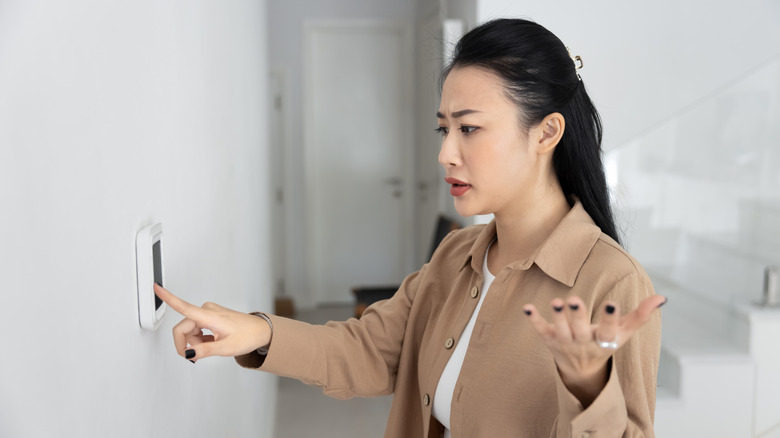
Your thermostat controls the temperature in your home, but if you don't understand how your home's thermostat actually works, you might be missing important warnings. If the screen on your thermostat says "wait," resist the temptation to just walk away and forget. It could be nothing — or it could be a sign of a major problem in your HVAC system.
To tell which it is, keep an eye on how long the message stays on the screen before your HVAC system comes on. If the message stays on the screen for more than five minutes, there could be an issue with either the thermostat itself or your HVAC system. Similarly, pay attention if the message goes away but comes back right after, or if your HVAC system does not turn on after it goes away. There may be a problem with the power source, the connection between the power source and the thermostat, or the HVAC system itself. Determining the specific problem can be tricky, so you'll need to be patient and thorough while troubleshooting your thermostat.
On the other hand, if the "wait" message only lasts a few minutes before your HVAC system activates and the message goes away, then you have nothing to worry about. This is a normal function designed to keep the system from activating too quickly and damaging itself. Think of it as a bit like the loading screen when you first turn on your computer — everything needs a moment to connect properly. Depending on the type of thermostat you have, it may also say "delay" or "waiting for equipment" instead. Give it a few minutes, then check the thermostat again. Avoid messing with the settings, as this can restart the process.
How to fix the 'wait' message on your thermostat
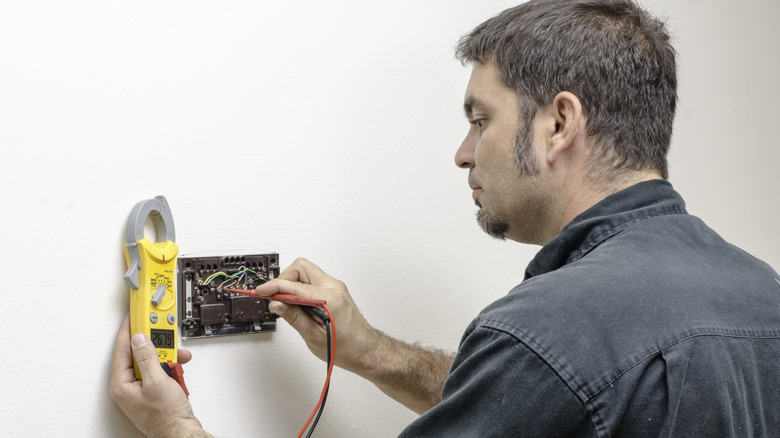
Since there are several things that could cause the "wait" message, you'll likely need to try a few different methods to fix it. After each method, wait a few minutes before moving on. Since the "wait" message is a normal function, you may not know the problem has been fixed until it has time to go through its normal process. Start with the easiest solutions and try replacing the batteries and giving your thermostat a quick clean. As with any electrical device, make sure it's turned off and disconnected from the power source before doing so. Wipe down the inside to ensure there's no dust interfering with the connection between the thermostat and the power source, then make sure the batteries are the correct type and correctly positioned.
If replacing the batteries and doing a quick clean don't help, it's time to check the wiring. You can make a quick visual sweep for any obvious issues, such as damaged or loose wires. Checking the breakers is also a good idea, especially if other electrical devices are acting up. If there aren't any obvious problems, you can use a multimeter to measure the voltage. This can be complicated, especially if you don't have any prior experience, so contacting a professional is a good idea. A professional will be particularly useful if the multimeter detects a problem and part of the thermostat needs to be replaced.
However, there could also be an issue with the HVAC system itself, with solutions ranging from minor fixes to major replacements. A technician will be able to find the root of the problem and advise you on what needs to be done. You can help reduce the risk of future problems by regularly maintaining and cleaning your HVAC system.