

FBI Warns: These Wi-Fi Routers Could Put Your Home Network At Risk

Unless your internet connection suddenly stops working, you probably don't give your Wi-Fi router much thought. But according to the FBI's Cyber Division, your home network could be at significant risk if you continue using an outdated device. If your router is relatively new, there's nothing to worry about. However, if you've been relying on an old router from 2010 or earlier and constantly looking for ways to boost your weak Wi-Fi signal, you should upgrade it as soon as possible.
According to the FBI, cybercriminals are exploiting certain vulnerabilities found in Wi-Fi routers that have reached end-of-life (EOL). In layman's terms, that means when these pieces of hardware get too old, manufacturers stop supporting them. You might not realize this until phone support is no longer available for troubleshooting a basic connectivity issue. Meanwhile, bad actors are taking advantage of the fact that EOL also means software updates and security patches for the device are no longer provided.
This creates an opportunity for nefarious hackers to gain access to your device, install malware on it, and sell access to your server to other criminals who want to disguise their identity or whereabouts. Although digital fluency varies widely, often the people who aren't prioritizing the latest and greatest routers also may not realize their home network has been compromised. If you take your home security seriously, there are several precautions you should take to protect yourself.
Steps for securing your home Wi-Fi
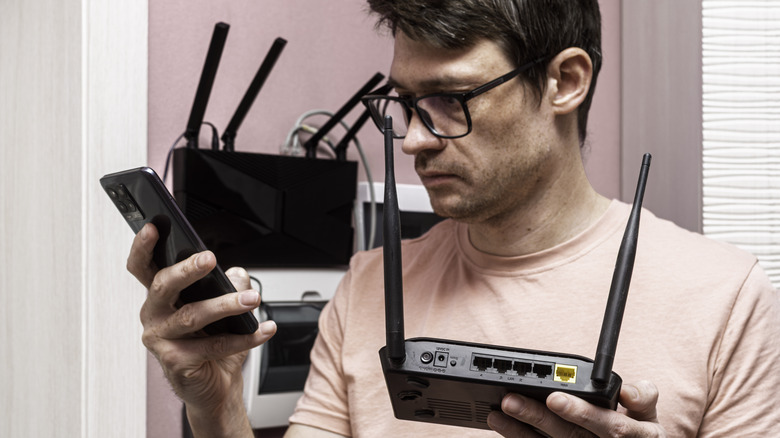
You don't have to be a computer nerd who's obsessed with the latest high-tech gadgets to defend your home network from cyber attacks, but understanding the basics can help. That's especially the case if your internet provider sent a service technician to help set up your system over a decade ago. Don't know which one is the router? Look for a small flat box with one or more external antennas. If you're still not sure, check for a sticker on the bottom. It will tell you what the device is, who manufactured it, and will also typically contain a model number.
The FBI provided a list of model numbers that are known to be particularly attractive to cybercriminals using TheMoon Malware, a malicious bot network that experts at Lumen believe is growing at a rate of nearly 7,000 users per week. Compare the model number on your router with the FBI's warning list. Linksys E1200, E2500, and M10 are just a few examples. If your router is among them, replace the device as soon as possible.
You should also keep an eye out for other virus signs on your router, whether it's outdated or brand new, since sophisticated cyber attacks are nothing new. Warning signs include a router that suddenly overheats, your normal browser redirecting you to random websites, or your internet connection constantly dropping. Practicing good digital security hygiene – like running software or firmware updates when prompted, using strong passwords, disabling Universal Plug and Play after setting up your smart home devices, and scanning connected devices regularly — can help keep your home network safe.