

We Tried The Emporia Power Monitor And Unpuzzled A Shocking Electric Bill
We may receive a commission on purchases made from links.
At first, investing in a power monitor might seem like a "yeah, maybe someday"-type expenditure. That all changes when you get a big enough bill. At least, it did for me, as soon as I was staring at one month costing $1,300 (insert that record scratch screeching-to-a-halt sound here).
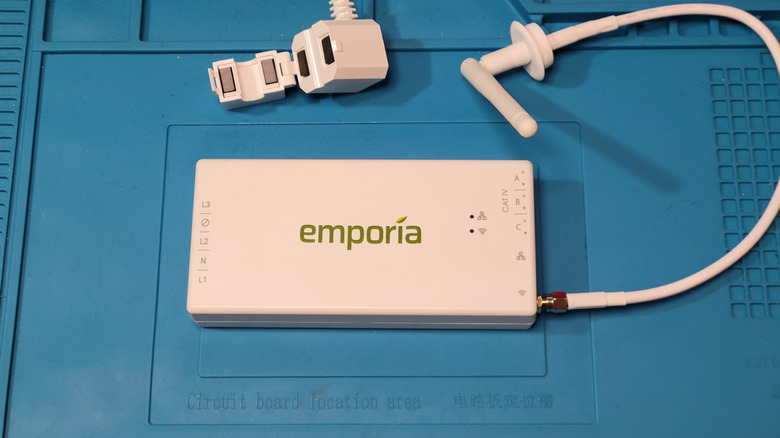
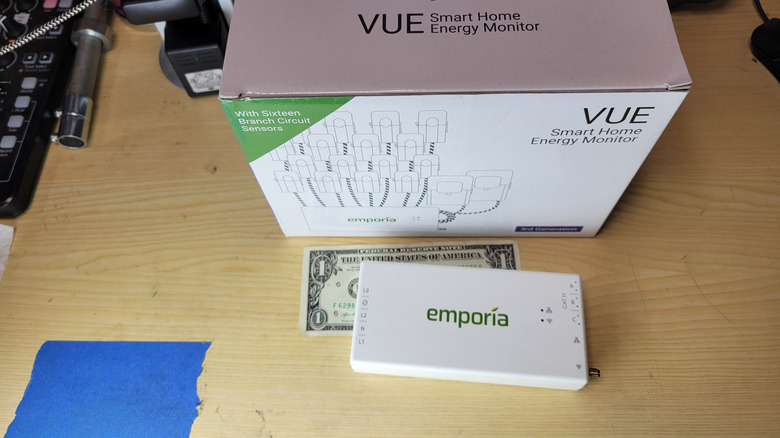
After getting the aforementioned $1,300 power bill — yes, again, that's merely for one month — my wife and I decided to pony up the $225 for an Emporia Vue 3 (currently $224.98 at Amazon) power monitor to see if we could track down the cause of such an outrageous charge. The process prompted a stunning revelation, if the word revelation is the right way to describe something you already know and yet still are shocked by: We use a lot of power. We have, for years, suffered higher bills than our neighbors, but nothing like this. There are a lot of moving parts involved — air-conditioned outbuildings, new insulation, and other pluses and minuses. And 41% of that power bill was fees, leaving $779 for the electricity we used. Asking around, we were hard-pressed to find anyone whose power bill is much more than a third of that.
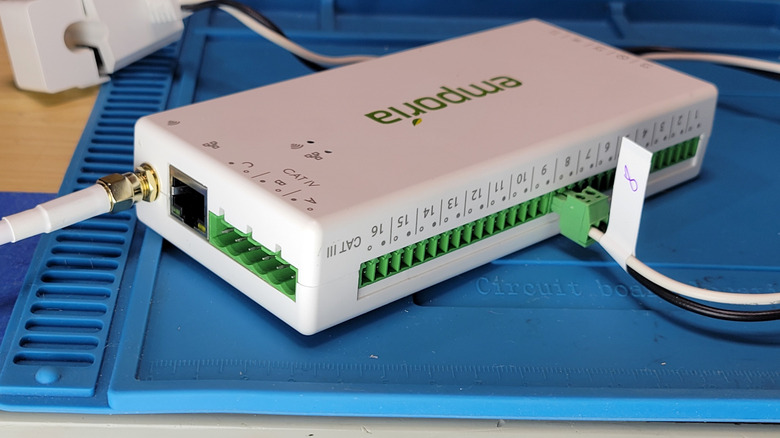
We needed a way to identify how much power various things were using, which is exactly what the Vue claims to do. Systems like Emporia's Vue 3 are installed in a home's circuit breaker panel by clamping current sensors over the mains and line (positive) voltage wires of individual electrical circuits. The mains sensors track the total power usage of the home, and that used by as many as 16 individual electrical circuits (keeping in mind that a two-pole circuit breaker like you might use for a dryer will take up two circuits). Here's what I found.
Getting a good 'Vue' of electrical usage with a power monitor

To find the cause of this spike in electrical usage, I monitored 16 of my 35 circuits at a time. The typical home contains 20-30 circuits, and homes with 200-amp panels like mine tend to be closer to the 30-circuit mark. Since I purchased the version of the Emporia Vue 3 that comes with four Wi-Fi smart plugs, I supplemented with the smart plugs to monitor individual outlets, either within an already-monitored circuit or as an addition to the monitored circuits. My plan was to narrow down the worst power consumers gradually and identify all those I needed to keep an eye on. This involved watching 16 circuits, and gradually replacing any that didn't use much power with ones I hadn't monitored before.
Using Emporia's mobile app or website, you can track real-time data coming from your home's monitoring system. You can connect the mobile app directly to the monitor unit either by Wi-Fi or an optional Ethernet connection. The system will provide you with customizable notifications when limits you set are exceeded for a predetermined amount of time. There are also built-in notifications that address specific problems, like an oven left on. Frankly, I was so immersed in the data that I hardly needed notifications. Before we get to the data, though, we really have to talk about installation — because I suspect that's what holds a lot of people back from buying power monitors like this. And installation is just as terrifying as you're dreading.
Power monitors involve a very scary installation
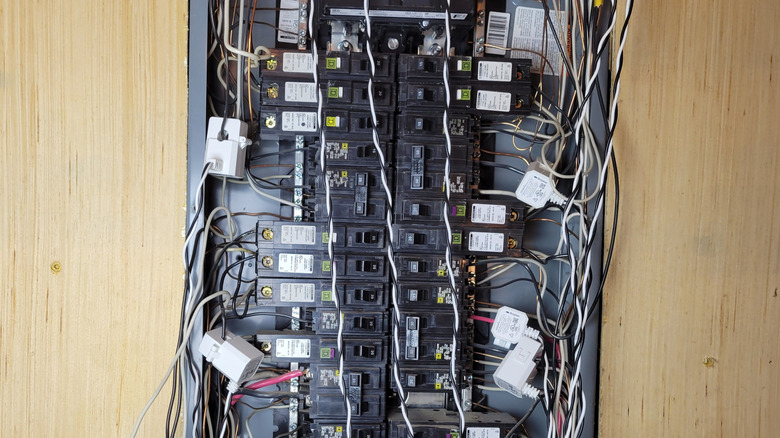
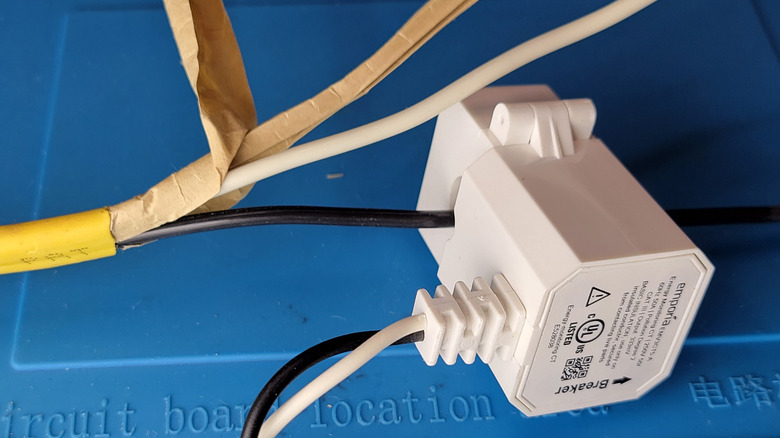
Installation of a power monitor is an unusual set of operations with fairly high stakes, and more than a little danger. The way the Vue (and all other external consumer monitors, as far as I can tell) keeps an eye on your electrical currents is by clipping a current transformer (CT) around the line-voltage wire you're investigating. Anyone who has measured current with a clamp-style multimeter will be familiar with the process.
This involves turning off all power to your home, removing the cover from your circuit breaker box, and attaching CTs to the wires supplying individual circuits in your home. You must do this carefully to avoid loosening connections, which happened to me on two different breakers. But the terrifying part is attaching the CTs to your mains lines. These are the very thick wires bringing electricity into your house, and you typically can't turn them off. They also don't bend very easily, so getting the rigid, bulky CTs around them safely can be challenging. No, I would never allow my family members to do it.
The wires that connect the CTs to the controller are very long. The Vue documentation includes halfhearted instructions on how to shorten them. I didn't bother with this for my temporary installation. There's a good chance you won't get the CTs, wires, and controller to fit under your breaker box cover, and if you don't shorten the wires, you'll end up with a gigantic tangle of wires that makes the fit even less likely. As a result, I ran mine with the cover off, but you probably shouldn't.
Here's what it's like to track a power monitor's results
After a couple of weeks of monitoring, I ended up with 16 circuits that represented about 87% of my power usage. I identified the worst offenders as our water heater, HVAC, and a freestanding recording studio with power hogs like its own AC and high-powered amplifiers.
I won't trouble you with the math, but for a two-week period ending on the date of a meter reading, the Vue monitor estimated that we'd used $75.65 worth of power (based on a winter rate). Extending that out for a month and estimating the fees, our new bill should be something like $275.56. I read the meter and performed the same calculations, which came to $320.11 for the same period.
Monitoring power usage doesn't lower power usage, of course, but carefully monitoring it causes you to pay more attention than usual to your bad habits. As a result, you tend to turn off lights more aggressively or handle the thermostat a little differently than you're used to. More importantly, the monitored data should let you identify trouble spots. For example, the most expensive single user of power over the two-week period was our water heater, which used about 2.5 times as much power as anything else. So, I adjusted the temperature of our electric water heater from about 132 degrees Fahrenheit to 125. We'll see what happens.
Proper power monitoring does make a difference (but you can't fix the fees)
The sentiment "we'll see what happens" might as well be the unofficial motto of energy monitoring. You adjust things here and there, then wait to see if there's any meaningful impact. You also have to be able to mentally zoom in and out of data that's sometimes recording an hour and other times recording a month — or, for that matter, sometimes about a whole house and other times about your smoke detectors. What this means is that you could easily make some high-effort or high-cost changes that result in relatively little energy savings. The thing that keeps you from making such a prioritization mistake is getting a clear picture of accurate data from your energy monitor.
Our first power bill after installing the Vue was $400.53, but that's not as remarkable a decrease as it seems: Both the weather and my utility's seasonal rates changed at the same time. Under the Vue's guidance, we used 399 kWh less than a year earlier. That's about a 15 percent improvement — $32.32 at this season's rate — and frankly, I'd hoped to see more.
My hope is that focusing so relentlessly on power consumption with the Vue's help will lower any future $1,000+ bills by substantially more. 50% would be a good goal. Of course, our ability to impact our bill isn't limitless. Only $187.16 of that new $400.53 bill was energy charges, while the rest was a soup of fees that constituted a remarkable 53 percent of our power bill. There are reasons for the fees, of course, but I was raised to call such nonsense "excuses." Regardless, there's not much a consumer can do about them.
Is getting a power monitor like the Vue going to save you money?
The Vue did reveal some unexpected truths. The Class A amplifier used by the PA in our studio consumes an enormous amount of power, whether it's playing sound or not — in fact, it uses more than our office, craft room, and our two teenagers' bedrooms combined. However, the real interpretive magic often lies in reading between the lines provided by a power monitor. The $187.16 is close to our baseline usage once you eliminate the power-hungry amplifier. What that tells us is that a big part of our huge summer power bill had to do with the HVAC ... and an AC running that much is a sign of either an undersized system, insufficient insulation, and/or other big problems.
So, did the Emporia Vue work? Well, its data is accurate, and the default views are easy to navigate and modify as needed. You can watch the data live or aggregated at the minute, hour, day, week, month, and year levels. It also appears to play nice with EV chargers and solar panels, though those things didn't apply to me. But is it really worth all the time and effort to turn up information you could have guessed from the beginning? That depends on how motivated you are. If you need a tool or concrete information to act on, like I apparently did, the Vue can be exactly what you need. It will require some patience, but perhaps it will change my family's long-term energy consumption habits. I guess we'll see what happens.