

What Do The 3 Different Buttons On A Garage Door Opener Do?
We may receive a commission on purchases made from links.
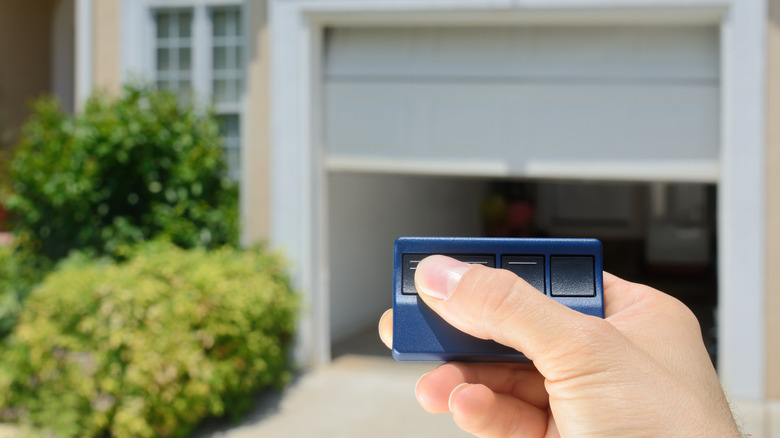
Having an automatic garage door opener is the height of modern suburban convenience. There's no need to leave your car in the rain to run up and heft open a heavy sliding door, or wrangle it closed after unloading all your groceries. The push of a button slides that door open and shut without much thought. But why are there three buttons on your garage door opener?
The most common garage door openers are small remote controls with three main buttons (although some fobs can have more). You probably only use the one, largest button to open and close the garage. The other buttons are there because some people, maybe even you, may want to program that remote to open more than just the main garage door. If you have a double or even triple garage, the different buttons can be programmed so that each opens a different door. And you can even program a three-button remote to open a driveway gate — or a garage door to second property.
If you have just one garage door, don't worry about the other buttons. If they haven't been programmed to open something else, nothing will happen when you click them. But if you are replacing an older garage door with an automated one, adding a remote controlled gate to your property, or adding on additional garage space to your home, these openers are handy one-stop-shops to control all these openings.
How to program different buttons on your garage door opener
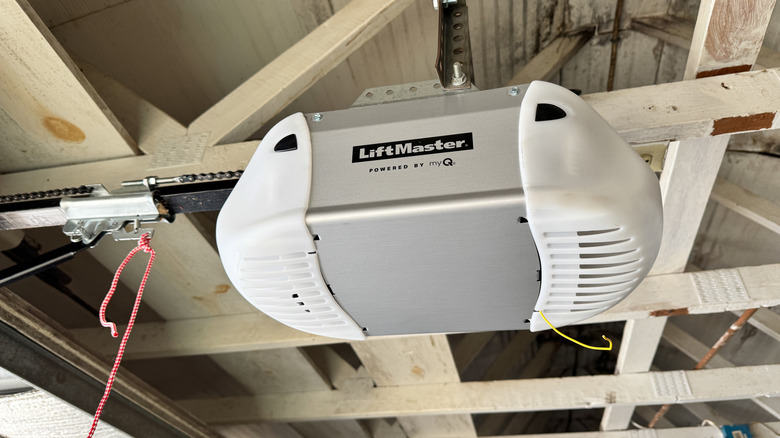
Like your TV remote control, garage door remote openers work by sending a radio signal to a receiver in the motor that operates the opening and closing of your garage (or gate). A universal, three-button garage door remote, like this CreaCity Store remote sold on Amazon, can work with many different types of opener units. If you have lost your remote, make sure you buy one that is compatible with the brand of your motor unit.
Link up your remote with the receiver in the garage door opener motor unit (that box hanging on the top of your garage) by following instructions that came with your unit. If you've lost your manual, programming instructions are easily found online on manufacturer's websites for the most common garage door opener brands like Liftmaster, Genie, and Chamberlain.
Programming your garage door opener remote usually follows a few simple steps. Start by finding and pressing the "program," "learn," or "smart" button on your receiver unit, usually behind a panel near the unit's antenna. Then, press whichever of the three buttons on your remote you want to connect with this receiver unit. Depending on what type of unit you have, there will be sounds or lights or additional steps needed to confirm that you've linked your remote correctly. YouTuber @NickC9545 demonstrates this process for a generic, universal, three-button remote. Your remote might look different, so check the manual for specific instructions. For example, popular garage opener brand LiftMaster has three different types of remotes, each with slightly different programming instructions.