

Reolink's 4G Wildlife Cam Is A Peculiar Beast In An Unpredictable Ecosystem
Where I live, wildlife and game cameras are pretty common. One of the first things I did on this property was mount one to a pine tree near where we were building our house, in hopes of getting a timelapse video out of it. And I know the neighbors have them because the woman across the street is constantly regaling us with tales of some terrifying creature or other she's spotted. And the guy currently building on another lot across the street called me up one day to ask why I was looking under his house. He spotted me on his game camera, of course, and I explained that I was looking at how he mounted beams to his house's wooden piers.
Security and wildlife-watching are fine, but my real reason for wanting a wildlife camera was that something had been killing our ducks off one at a time whenever they nested outside of the duck house. The neighborhood bobcat was my prime suspect, but I felt compelled to find out for sure. And one can always come up with a few more good reasons for installing a security camera of some sort ... like documenting the garbage truck driver who insists on driving the entire length of my street in reverse. So the Reolink Go Ranger PT entered my life with a purpose, and as with most security devices, I soon invented other purposes for it. And because of the Go Ranger PT's design, using it inventively turned out to be easier than I would have guessed.
The camera's specifications
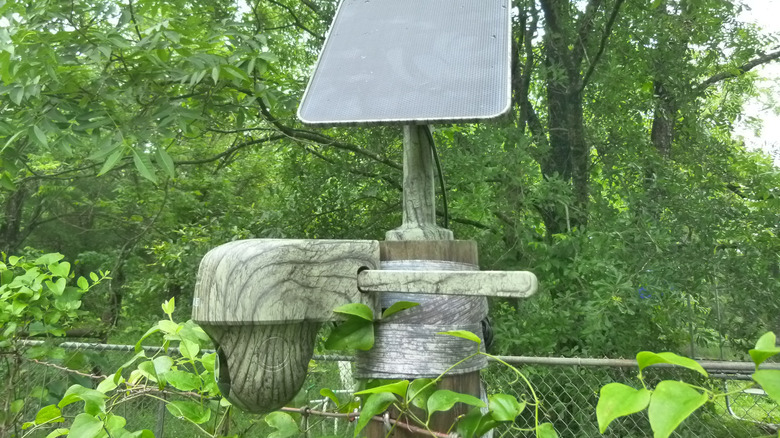
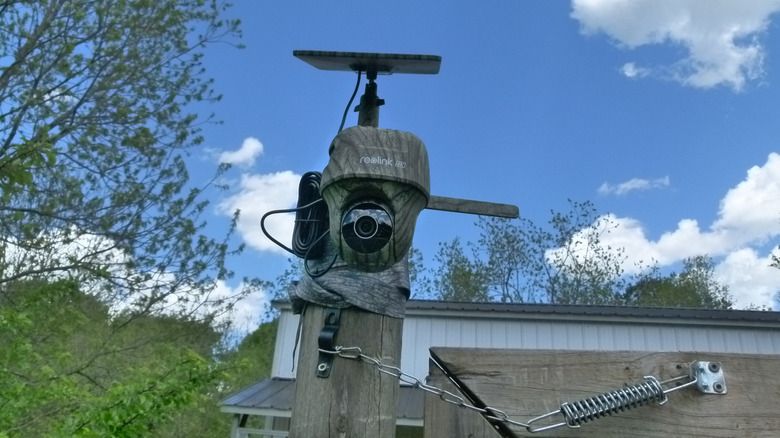
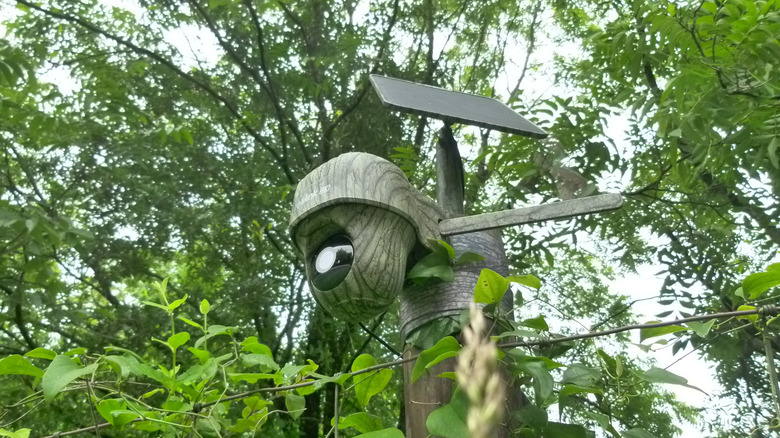
Reolink bills its Go Ranger PT as the "first 4K 4G LTE wildlife camera with 360° all-around view," meaning it is a high-resolution, cellular-only camera that can give you a complete view of its surroundings. Not mentioned there are the device's weatherproofness and the fact that it's solar-powered (Reolink has a reputation for making good solar-powered security cameras). The Go Ranger PT's IP64 rating means that it's suitable for rain, but not water under pressure or any sort of submersion. (Good enough.) The little solar panel kept the Go Ranger PT fully charged in the four locations I placed it, ranging from full sun to mostly shade with an hour or two of afternoon sun.
The Go Ranger PT determines when to record and alert you to activity via an AI motion detection algorithm that can distinguish among people, vehicles, and a few different species of animals. The camera records 4K video and/or still images, and for limited data plans or low-bandwidth connections, the picture mode might be a necessity. It works like this: When the specified level of motion is detected, the picture mode captures a series of photos and stores the best image as determined by the camera's internal algorithm. Images and videos are stored in one of three places: on a microSD card (the camera comes with a 32GB card and supports cards as large as 128GB), uploaded to Reolink's cloud service, which is hosted by Amazon Web Services, or an FTP server. The camera's microSD and nano SIM slots are under a rubber cover on the lens housing, along with a reset button.
Installing the camera
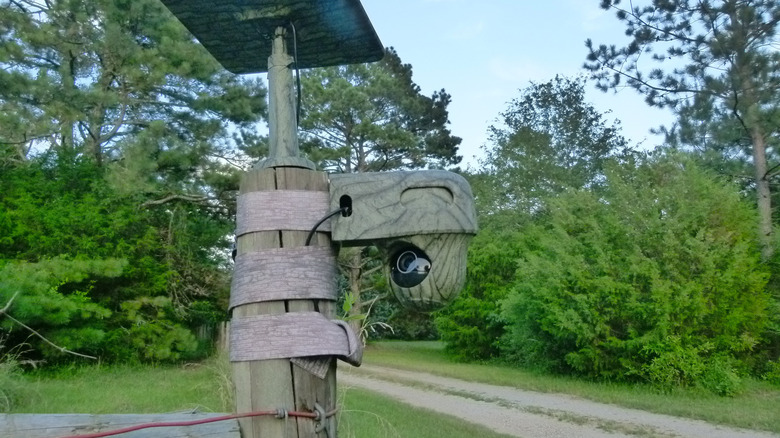
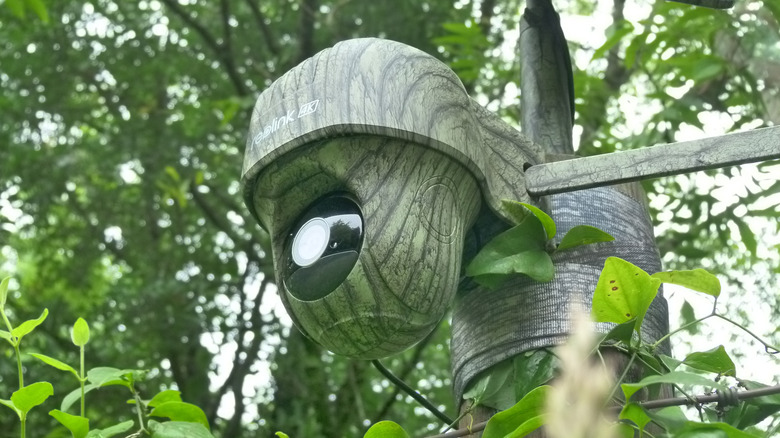
To be honest, in the way of my tribe, I pretty much ignored the very well-thought-out Quick Start Guide that Reolink supplies with the camera. Except for a quick check to make sure I was inserting the SIM properly, it all went together quite intuitively. I mounted it to a tall wooden fence post by a gate, and in this configuration, the mounting is super-simple: You simply route the included strap through the camera housing, around the post (or tree trunk, or whatever), and secure it with a hook-and-loop closure. One nice this about this quick-mounting ability is that you can move the camera on a whim ... and I did. A few times.
I mounted the solar panel to the top of the post with the supplied screws. (It's probably a bad idea, by the way, to trust short screws driven into end grain that's exposed to rain the way a fence post is, but I ended up moving the camera before it became an issue, and used different screws.) Just as the Quick Start Guide is appropriately detailed, the solar panel's Operational Instruction manual is equally thorough. The six pages of guidance are mostly installation instructions, since there's precious little to operating a solar panel on a day-to-day basis.
Reolink software handles the connection between your apps and the camera; a far better arrangement than having to connect a CCTV camera to a computer. This worked flawlessly for me with two different cellular carriers' SIM cards. Which turned out to be one of the few bright spots when it came to dealing with SIMs.
The SIM card fiasco(s)
When I started evaluating this camera, you had to supply a SIM and there were a handful of carriers recommended by Reolink — AT&T, T-Mobile, Mint Mobile, FreedomPop, and (sometimes) Verizon. Of these, only Verizon offers a coverage map that lets you see where 4G LTE coverage, required by the camera, is available. But the language about Verizon compatibility was very strange: "If you happen to have a Verizon SIM card on hand, we recommend testing it with your camera..." Reolink advised. It sounded risky.
In the end, I tried to test three plans. I ordered trial plans for Eiotclub (a YouTuber-recommended triple-network SIM is serviced by AT&T, T-Mobile, and Verizon) and FreedomPop, and I decided to get a nano SIM from the nearest AT&T store. The Eiotclub SIM worked brilliantly from the outset. The FreedomPop trial SIM never arrived (which didn't stop FreedomPop from billing me for a renewal). AT&T stores can't help with prepaid accounts, so I ended up getting an AT&T SIM at Walmart. But AT&T doesn't offer a prepaid data-only plan, so you have to pretend you want a phone line ... which means that all future identity verification tasks will fail, since you can't get multi-factor authentication texts on a camera. So the AT&T SIM worked great up until the moment I had to log in and pay for the next month, which turned out to be impossible. Only T-Mobile remains on the current list of recommended U.S. carriers, and it's not hard to see why.
Image and video quality
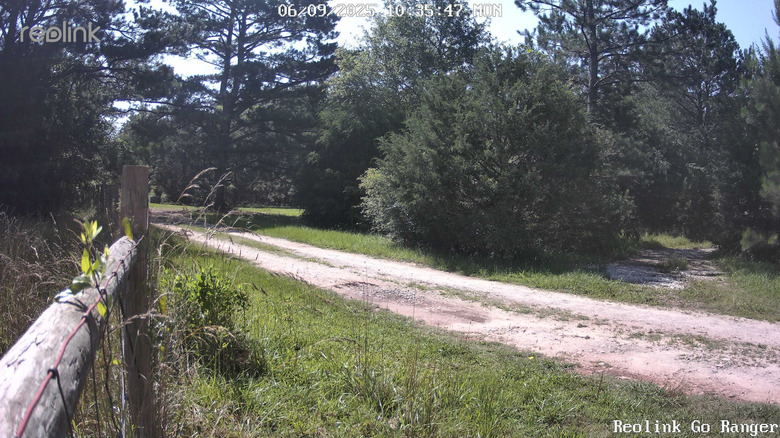
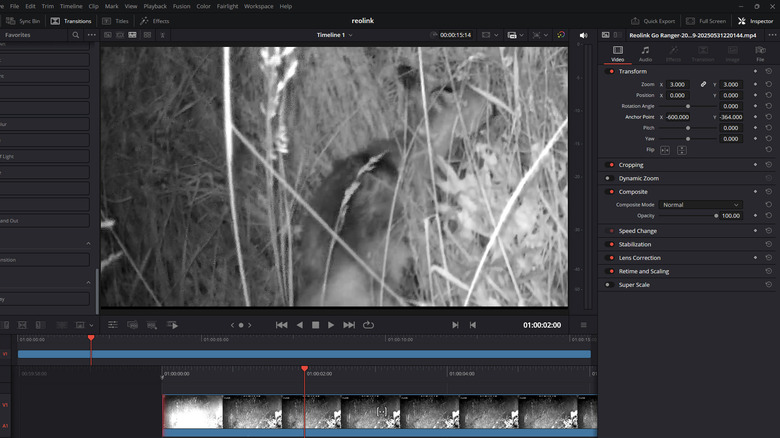
What I first noticed about the images was that they are very good. Both the day and night images were ... and I'm serious here ... an order of magnitude better than a trail camera I used to own. I use a pricey NDI camera for some streaming and video production work, and I'm now seriously considering a Reolink Wi-Fi model as a second camera for emergency wide shots. I tested the Go Ranger PT during an unusually rainy spring, and the lens could occasionally get fogged up by moisture. This might be unavoidable in a device of this class, but it's worth noting.
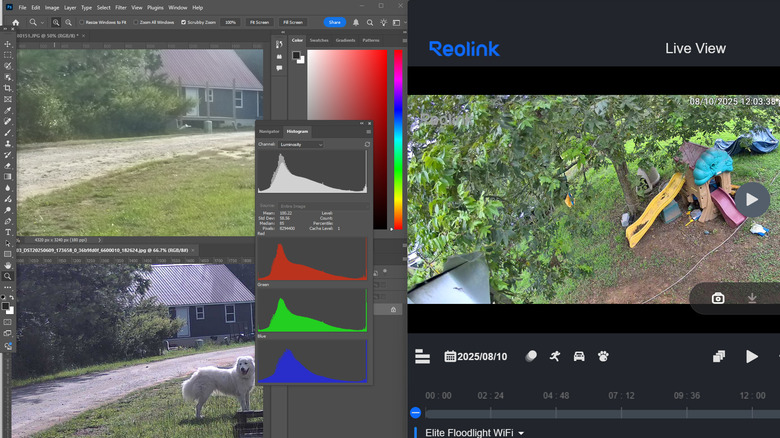
Resolution, of course, doesn't tell the full story of a camera. Lots of other things factor in — sensor size and quality, the lens, compression and image/video format, etc. — and the mix is going to be different for a wildlife or security camera than for a recreational still or video camera. For example, a sensor's signal-to-noise ratio is probably less important when an image or video is going to be compressed heavily for high-priority streaming. While I was impressed with the quality of the Go Ranger PT's images, it seemed worthwhile to compare the Reolink's best images with what I am used to and consider a decent-quality still image (in this case, an HDR still from my digital camera). So, I took a few shots with the Reolink and compared them with the highest-quality images from the Go Ranger PT and another Reolink camera. Photoshop's histogram panel showed some likely lost information, but overall, the images held their own.
Mobile and desktop apps
As with any remote camera, one interacts with the Go Ranger PT through software. Reolink's client software supports Windows, Mac, Android, and iOS platforms. I installed both Reolink's Android and Windows apps to manage the camera, and first tried out the Android software. The mobile app is fully featured and easy enough to use, and while I managed to accidentally turn the camera off a few times, this was only because I was trying to conserve bandwidth on a low-data-limit test SIM. You can engage the PIR motion sensor and monitor battery status without starting the live feed, a plus if you're limited in either mobile or 4G bandwidth.
It's impossible to go into all the app features here, but it does everything you would imagine: two-way talk with the camera, pan and tilt functions, switching camera modes, enabling and managing notification settings, scheduling on and off hours for various operations, and blocking out areas of images with the "privacy mask" function. You can flip the image vertically (useful if the camera is mounted upside down, as on a tripod), flip the image horizontally (useful, I suppose, for YouTubers), adjust image brightness and shadow threshold, and dozens of other nifty things. You can even set a custom alarm, called a "siren," in the app. For a while, mine said, "Abandon hope, all who enter here," which my family is not amused by and probably doesn't do much for wildlife image capture, either.
Too many vague icons
The PC app interface and the Android interface are similar, but also frustratingly different. For example, to set the camera to image mode, on Android this is simply a matter of going into the camera settings and clicking Camera Images. To access the images, you can enter the camera's feed, then click an icon that looks like a little photo of a mountain and sun. Neither of those options appears to be available on the desktop version of the software ... neither the menu option nor the icon.
The icons themselves can be annoying. They are simple, so their functions should be easy to identify at a glance. But the icons overlap a little in terms of what they represent, and as a result, it's difficult to be sure what any particular icon gives you access to on the mobile app. This might be easy enough to learn, but on this camera app's inventory of icons there is the front of a camera, the side of a camera, the aforementioned photo image (mountain and sun), and another that looks very much like a YouTube play button inside a screen shape ... and if your feed is paused, you get yet another play button, this time without a screen-shaped border. That's five explicitly camera-related icons to unpuzzle and memorize. Also, the mobile app has 11 icons adjacent to the main screen, while the desktop version only has eight. The tabs and menus are also different. And don't get me started on the use of button names like "PIR" (passive infrared) that mean nothing to most people.
Greet visitors with unexpected sounds
It seems to have become common for IP cameras, including security cameras, to have audio functionality. The Go Ranger PT (like many of its tribe) has two-way audio so that, as one YouTube commenter put it, "you can speak to your burglars." There is an audio alarm, in case you don't actually want to be burglarized, and you can turn it off in case you want to be burglarized but also want to catch the thief.
Perhaps best of all, at least for anyone who's not my wife, the "siren" can be customized. You can "Rickroll" your burglars or you can play the sound of someone whispering, "Keep him in your sights, I'm circling around," or ninjas preparing to attack (coincidentally, also the default sound when the siren is turned off), and so on. Or you can, as I did, record yourself saying, "Abandon all hope, ye who enter here" and wait for your spouse to shout, "Shut up, I'm trying to bring in the groceries!" The party never ends.
I can't decide if two-way audio completely makes sense on a 4G wildlife camera meant to be deployed in the boondocks. On one hand, there's certainly joy to be found in springing phrases like "I see you, you wascally wabbit" on unsuspecting wildlife. On the other hand, what reply are you expecting from the wabbit?
Motion detection
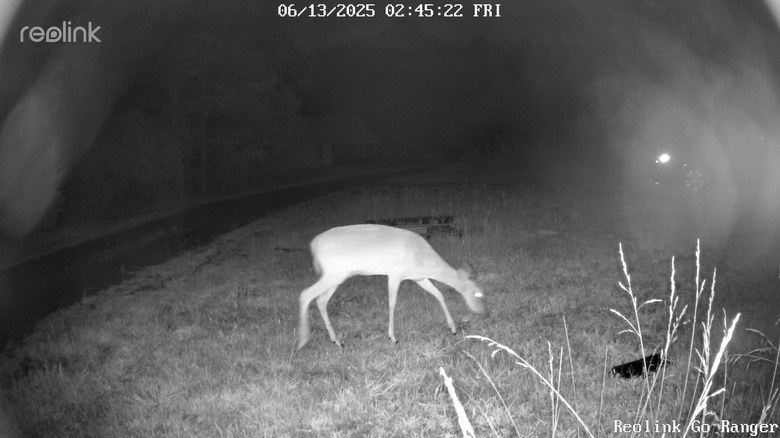
The Go Ranger PT has a built-in PIR sensor for motion detection within its range of 33 feet. You can adjust the sensitivity of the sensor in the Reolink app. The mobile app allows you to set zones that will not generate alerts, set sensitivity levels for people, vehicles, and animals independently, and set minimum and maximum object detection sizes for people, vehicles, and animals. Those are very important settings and add a lot of flexibility to the device. The sensitivity settings seem to work well. At 100 percent sensitivity, however, their utility is severely limited since the camera is triggered by gently swaying grass, dragonflies, and the occasional wasp curious about the new pan-tilt ride.
The Go Ranger PT obviously pans and tilts (the "PT" in Go Ranger PT stands for "pan-tilt"), and has the built-in ability to recognize people, but strangely Reolink didn't equip it with the ability to track. This is especially strange given how common this feature is in the current generation of security cameras, including a number of Reolink devices. As it stands now you can't really take advantage of the 360-degree view to follow an intruder's movements unless you happen to be watching at the time and can control the camera manually.
Why I'd take a chance on the Go Ranger PT
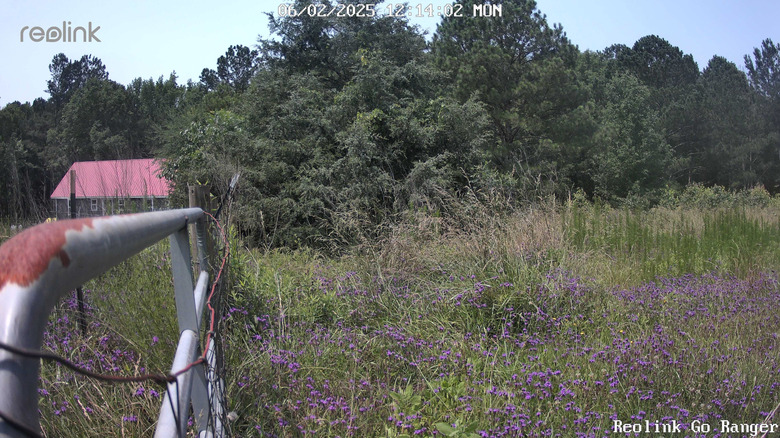
Ultimately, the Reolink Go Ranger PT is a better camera than it is an idea. What I mean is that the idea of a cellular-only wildlife camera makes some sense, but is beset with inherent problems related to carriers and access. The camera itself is great, and the Reolink ecosystem is feature-rich to the point of being overwhelming at first, but the camera works easily and immediately (assuming you can find a SIM provider). You can really dial in the sensitivity so it photographs animals (even the fast-moving fox that turned out to be responsible for my lost ducks), vehicles, and people exactly as carefully as I told it to. All the while, the battery never once emptied, or even came close.
And it turns out that when you can't renew your AT&T SIM and the camera just sits there for two months, it doesn't stop working. You can't access the photos and videos without taking the SD card out of the camera, but it keeps recording everything you told it to. And that might be the saving grace of this idea. With a 4G-only device like this one, you will forever be at the mercy of both carriers (who will discontinue 4G service at some point) and the manufacturer (who can eventually shut down the servers through which you access the camera). But the fact that the camera works with no cellular connection erased my only major concern with it. Someday I won't be able to talk to my burglars or my bobcat visitors, but I will still enjoy crisp pictures of them.
Interested in picking one up? It is currently on sale for $169.99 on Reolink's official site.