

Reolink's New Feature-Rich Floodlight Cam Makes DIY Home Security Easier Than Ever
I am sitting about 18 inches from a baby monitor that I can use to listen in on my house when I'm in my workshop or studio at night after everyone else is asleep. Along with the usual door and window sensors, my home is wired with panic buttons and alarms made from 12-volt car horns that are positively, well, alarming. I have a box of old cellphones I planned to one day turn into IP cameras in my Frankenstein's monster of a DIY home security system.
But the panic buttons and alarms have not been turned on since I tested them, and the baby monitor has been used once, so a son with a broken ankle could reach me if he needed anything. And the cellphones remain in their box, so my home hasn't actually had any working cameras until I recently added a couple of Reolink cameras, more as a way of keeping my eyes on marauding wild boars, packs of coyotes, and sneaky foxes than anything else.
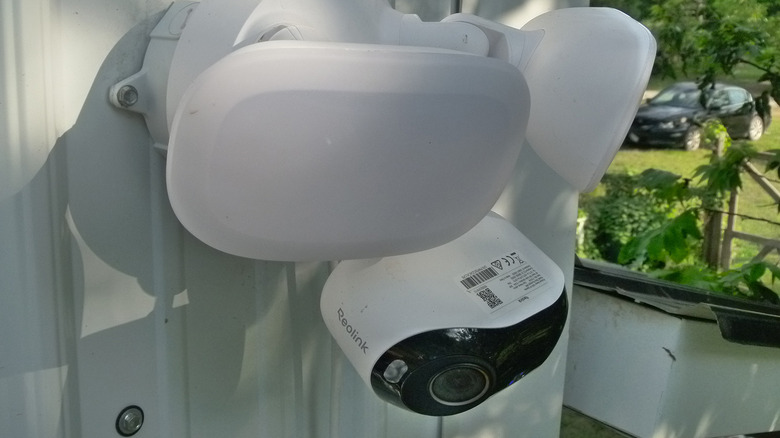
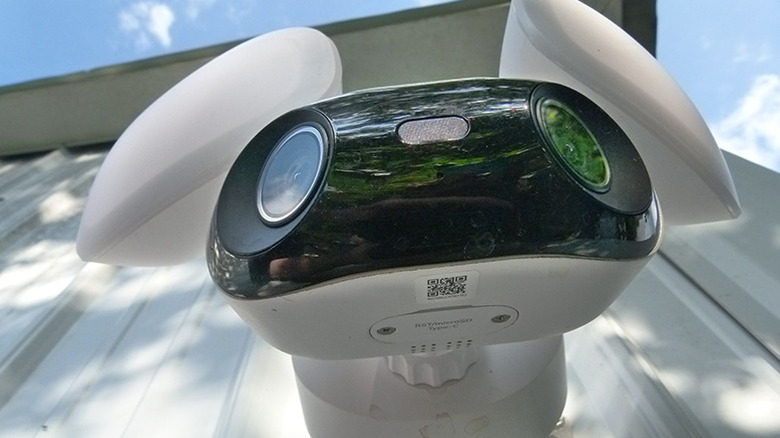
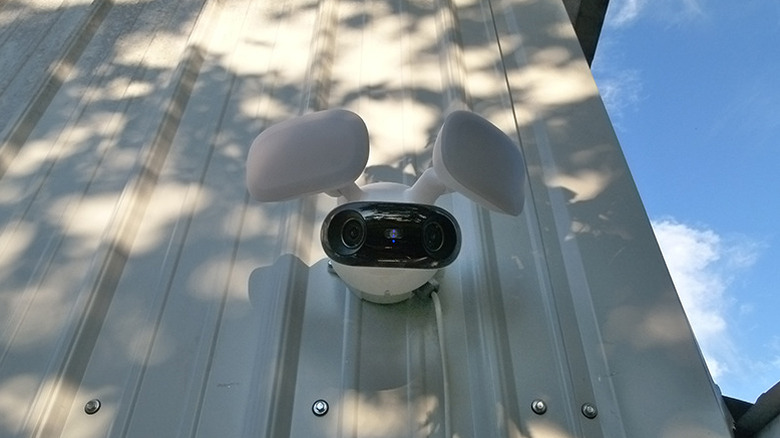
I'm not sure what I was waiting for. The new Reolink Elite Floodlight WiFi does a lot of what I have been looking for, and more. Its dual 4K cameras and 3,000-lumen floodlights are controllable via dual-band Wi-Fi 6, for a retail price of only $219.99. It has, more than any other gadget I've messed with, provided me with the most reassurance for the least effort of anything I've ever added to my house's array of mostly homemade security doodads. And, yes, its name is a mouthful, but nowhere near as pessimistic as, for instance, the Ring Stick Up Cam's.
Setup and installation
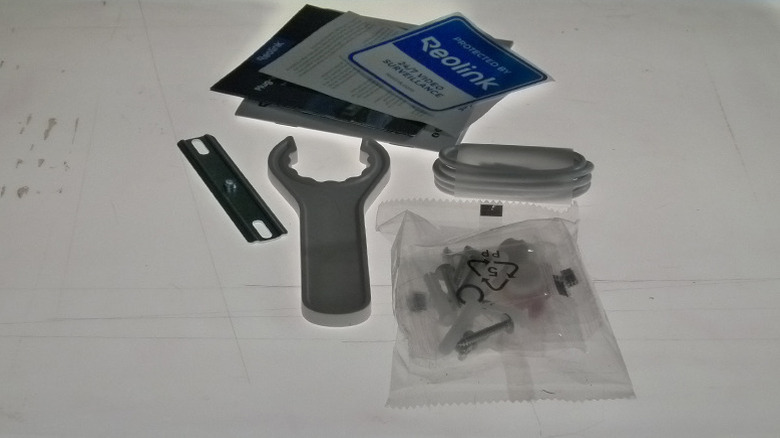
Installing security cameras can be challenging for a beginner, but the challenge for an inveterate DIYer who's considering a commercial alternative is this: Will it take more effort to make the store-bought product fit my needs than building something bespoke to my particular quirks? On this count, the Reolink Elite Floodlight WiFi is an unqualified success. The initial setup is done on the ground before installation, and took me maybe two minutes. During setup is the only time you'll use the built-in USB-C connectivity, which powers the necessary bits while you connect through Bluetooth and provide your Wi-Fi credentials, set a password, format a microSD card if necessary, etc.
Installation was painless, though I did it a little differently from how Reolink's diagrams and standard practice might suggest. My home is actually prewired for security cameras with AC power or power over Ethernet, but for reasons too obscure to explain, the junction boxes were inside the house rather than outside. I had an unused exterior outlet near the camera's location and didn't need the Ethernet drop for network connectivity or power, so I used the outlet to power the camera rather than penetrating the exterior wall and fishing the wires out. This meant using a surface-mounted, outdoor-rated junction box mounted to the wall and a Reolink-supplied lead from the box's waterproof cable gland to the receptacle, which is under a porch roof on the other. Reolink helpfully includes a little cable attached to this camera that holds the fairly heavy camera while you work on wiring and installation, ceiling fan-style.
Customizing the security options
The number of features this camera includes for customizing sensitivity and zones is completely bananas. In addition to simply setting sensitivity levels for detecting people, vehicles, and animals — the most you'd probably need with a standard camera — the software enables spatial and behavioral algorithms to determine when user-defined lines are crossed, when zones are entered, or when people, vehicles, or animals are loitering. You read that right: This camera will tell you when the awkward boy from down the street is hanging around in hopes of a chance to speak with your daughter. What you do with that information is up to you. (I recommend taking him a glass of ice water.)
You can also specify the size of objects that should trigger an alarm or notification, and mark specific zones in the camera's image as privacy zones that are blocked in recordings. One remarkable thing that trumps most of those is that, with a sufficiently large microSD card (the camera will handle one up to 512GB), you can set the camera to simply record 24/7. It does this in two-minute segments, and you might wonder how useful that could possibly be from a security point of view. After all, you're probably not going to be reviewing 24 hours of footage unless something goes horribly wrong. The answer lies in notifications and a couple of features you can use to make 24/7 recordings more useful: AI Video Search and Motion Mark, a beta feature that highlights the moving part of images, making them (among other things) easier to find when scanning video.
Paranoid Android ... and iOS, Windows, Roku, etc.
If it makes you nervous to have something recording your home 24 hours a day, note that any security camera is probably doing it already. If you have enabled the Pre-Motion Record option, the only way the device can (seem to) go back in time and start recording is if it's already recording in the first place. But don't fret; not only does the enhanced WPA3 encryption help protect your device from cyber-hijinks, but you can also encrypt the files that are stored on the camera so that even someone who steals the actual camera itself will not be able to access the video recordings. As is the way of recent Reolink devices, after installing the software, you don't even have to log in. Instead, you add your devices to it either through network discovery, by scanning a QR code, or by entering a unique ID for each camera.
There are legitimate concerns about security devices, especially ubiquitous cameras. Sometimes they're insecure and can expose you to prying eyes and eavesdropping. They can make you so comfortable you're lax in other areas of security, and an over-sensitive alarm can numb you to real problems, crying-wolf-style. The current-gen Reolink cameras defeat a lot of these concerns with ... fun. It's just kind of fun to dial in the right settings to notify you when a fox is in the henhouse, but not a squirrel, or when a neighbor's dog is trying to get into your garbage can, but not when you're taking out the trash.
How to find out if there's a wolf out there huffing and puffing

Just as you have tons of ways to find out if there's someone messing about in your yard, you also have tons of ways to find out about it ... and to save the evidence. You can send an email containing a text alert, a picture, or text with a picture or video to as many as three recipients, using your email's SMTP server. You can get push notifications on any mobile device you have the Reolink app installed on. And you can sound an alarm at the device itself, if you'd rather scare away than catch an intruder. You can customize the "siren" sound the device plays when it detects an intruder. Having annoyed my family with a number of alternatives, I recommend either a good rickroll or something along the lines of "Hey neighbor kid, come in and get a glass of ice water. It's hot out there." All of these notifications can be scheduled so that they only happen during the hours you specify, meaning that you can record events on a schedule but only get notifications during waking hours.
Recorded videos and images can be stored on the device itself or on an FTP server (with the option of storing them securely using FTPS), and you can configure a desktop computer to save the files locally. Because the Reolink Elite Floodlight WiFi uses standard protocols, you can also stream the video to desktop browsers and streaming platforms like Roku sticks attached to a TV or monitor, and running an IP camera app.
One big pro and two little cons
In a month or so of using this camera, a couple of minor negatives and one big positive stood out to me. From a security point of view, the negatives are probably a net win. One is that the blinking of the triggered floodlights, surely a deterrent to anyone trying to prowl around discreetly, can be disorienting if you're caught in their light show, and it takes a moment to turn the blinking off with the app. The other is that, because of the number and complexity of intruder notification options, it's super easy to wake up in the morning to hundreds of notifications. Fortunately, tweaking the cameras' various sensitivity settings will clear this up after a couple of rounds of refinement.
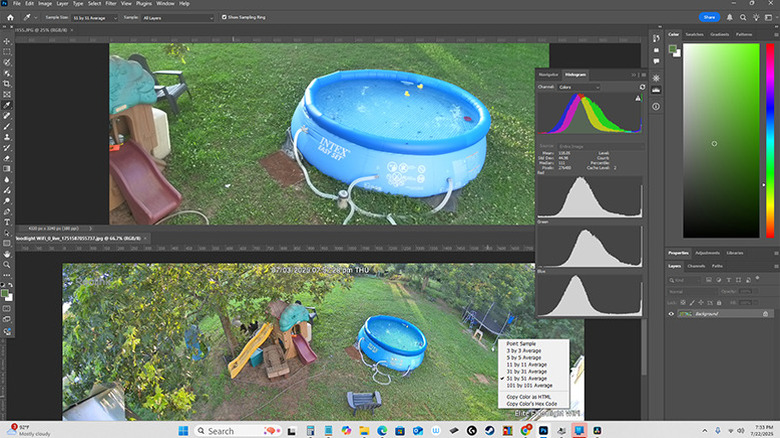
There are many positives, but the pleasant surprise for me was the cameras' image quality. The Reolink Elite Floodlight WiFi's dual 4K cameras seem to provide a sharp image with better color accuracy than I expected. From the camera's position, I took an HDR photo using a Panasonic Lumix and pulled it and a photo from the Reolink into Photoshop. The Reolink actually has better dynamic range than the Lumix, with no telltale spikes or gaps that can indicate a loss of detail. The Reolink stitches its 180-degree view from two images and you have some control in the settings over how this stitching occurs. The only issue I ran across was that the 5120x1552 panoramic video, combined from two eight-megapixel images, is so wide that it's challenging to see the full frame on a smartphone.
Why I'll buy more Reolink Elite floodlight cameras
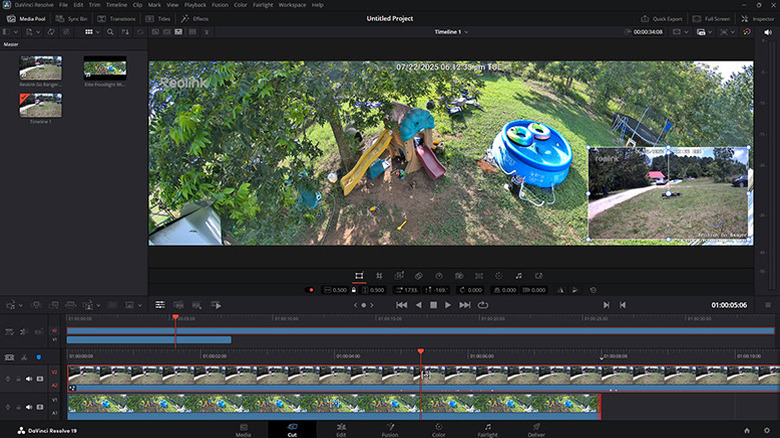
I'm no stranger to technology. I have a network/server rack that causes visitors and tradespeople to give me serious side-eye. I have two dual-processor rackmount servers doing everything from storing my notes to processing music effects. I record temperature and humidity inside the house, inside its wall, and inside the attic. I can annoy my family by remotely blasting "Cotton Eye Joe" in the bathroom at inopportune moments. There's one thing all of this stuff shares that the Reolink Elite Floodlight WiFi doesn't: They were all difficult to set up. As father to the world's only technologically incompetent teenagers, I can say with confidence that either of them could set up the Reolink Elite in minutes. And in exchange for this minimal effort, you get a capable security device delivering smart features and super-detailed videos. (In fact, its videos are enormously larger than other security cameras, and such a high resolution that DaVinci Resolve — a professional video editing tool — can't handle them without downsampling to something more digestible.)
Whether I need it is another question. But with low prices and no required subscriptions, there's little standing in the way of the peace of mind a security camera/floodlight combo like this can provide. When I wired my house, I planned for three cameras, so I'll be buying at least two more of these. Then I can sit in a darkened room watching a grid of screens, occasionally pushing the talk button when I see the neighbor kid. "Armed response, we have an active alert in zone three," I'll say. "Unarmed male, nervous and sweaty. Probably needs water.."